
Info
 Home Page Articles Software Goodies
Explanations
How do they do that? The Web in FocusResources
Web Site Stuff Tech Books E-Books Tech Toys Web Hosting LinksWomen
Opinion Tech Women Women's StudiesTech News
Computer Security Databases Java Linux MP3 PC Software Robotics Site Owner Tech Latest Web Development XMLSpread the Word
Newsletter
Recommend this Page
Site Info
Legal Disclaimer
Privacy
Contact
Lighter Side
Crazy for Life crazy for romance Crazy for Kitties Crazy for Dogs Crazy for CowsCopyright 2000-2001, hertechnology.com
Floral Photos and Fun
Here are some floral photos that you can use. Feel free to edit them and do what you like with them. If you do use them and you want to put a link back to Her Technology, that'd be great.
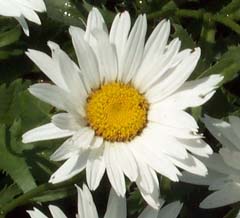
These pictures were all taken with a Kodak DC240 (digital) camera that is over a year old now. I love my digital camera. It's great not having to buy film. With the photo editing software that I got with the camera (Adobe's PhotoDeluxe), I also like being able to crop the photo and remove parts I don't like. And it's convenient to be able to resize the photo. The above daisy picture was both cropped and resized, as was the balloon flower photo, below.
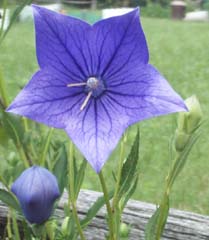
You don't have to crop a photo to resize it, of course. The next picture was just shrunk down from its original 8 x 10 inch size. In addition, all these pictures are at 120 dots per inch, which is what the camera automatically takes. The extra resolution is a waste for web photos which need only be 72 dpi.
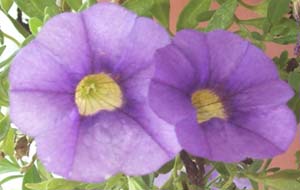
The picture of the morning glory, below, was cut out of a larger photo by using the "smart trace" function that PhotoDeluxe has. Then the picture was pasted onto a white background. Because these are photographs, I saved them as JPEG instead of GIF. GIF files can only have 256 colors which is not enough for a photo. Because the photo of the morning glory is a JPEG file the white is not transparent. Only GIF files can have transparent backgrounds.

Want to bookmark this site? Press
Control-D. (Hold down the control key and the letter D at the same time.)