
Info
 Home Page Articles Software Goodies
Explanations
How do they do that? The Web in FocusResources
Web Site Stuff Tech Books E-Books Tech Toys Web Hosting LinksWomen
Opinion Tech Women Women's StudiesTech News
Computer Security Databases Java Linux MP3 PC Software Robotics Site Owner Tech Latest Web Development XMLSpread the Word
Newsletter
Recommend this Page
Site Info
Legal Disclaimer
Privacy
Contact
Lighter Side
Crazy for Life crazy for romance Crazy for Kitties Crazy for Dogs Crazy for CowsCopyright 2000-2001, hertechnology.com
Favicons
Take a look at this little image:  If you're a
Windows user you will have seen these little icons next to filenames. They are
called favicons. If you
are using Internet Explorer, version 5.0 or greater, and if you bookmark a
site, you will see the favicon next to the bookmark. Of course, the web site
has to have a favicon first.
If you're a
Windows user you will have seen these little icons next to filenames. They are
called favicons. If you
are using Internet Explorer, version 5.0 or greater, and if you bookmark a
site, you will see the favicon next to the bookmark. Of course, the web site
has to have a favicon first.
Favicons are a 16x16 pixel image that must be stored in an icon, or .ico, format. You can't save an image to an ico format from most graphics programs (at least not yet), but you can make your own at favicon.com.
On the favicon.com's home page find the free icon generator link. You'll need to be able to run Java in your browser. (If you aren't sure, you can always go to the favicon site and give the icon generator a try.)
When you click on the free icon generator link, another window will pop up that contains the favicon drawing controls and the space for drawing your icon.
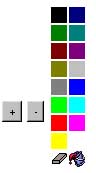
Favicon Icon Generator Controls
Click on a color and use your mouse to click on squares to start drawing. Remember you will be creating a tiny image, so you can't be too detailed.
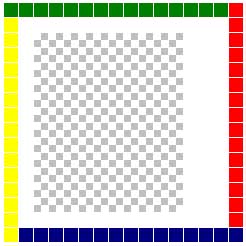
Drawing an Icon
When you are done, click on the File menu and select Save. The favicon will be emailed to you. You will get a screen that will ask for your email address. When your mail arrives, save the favicon to your hard drive with the extension .ico. If you are running Windows and you display that directory, you will see your favicon. Here are some examples:
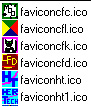
Example Favicons
Now, to make your web site favicon available you must copy it in BINARY mode to your web site and put it in your web documents root directory. (This is the directory where your index.html or index.shtml file is located. If you don't know where this is, ask your web host company.) You must name your little image favicon.ico. (To use the favicons listed in the example above, I had to put each one in its proper directory and then rename it to favicon.ico.) And that's it!
If you are running IE 5.0 or greater, you can bookmark this site and see the Her Technology favicon show up in your favorite list.
Want to bookmark this site? Press
Control-D. (Hold down the control key and the letter D at the same time.)